
Ansible Tutorial for Beginners Introduction
Modern IT infrastructure is growing rapidly. Organizations now manage hundreds or even thousands of servers across cloud platforms such as AWS, Azure, and Google Cloud. Configuring each server manually is time-consuming, error-prone, and difficult to maintain.
This is where Ansible becomes one of the most valuable DevOps tools.
Ansible allows administrators and DevOps engineers to automate repetitive tasks such as software installation, server configuration, application deployment, security updates, and infrastructure management. Instead of logging into every server individually, you can automate everything using simple YAML files called playbooks.
Whether you are a student, Linux administrator, cloud engineer, or aspiring DevOps professional, learning Ansible can significantly improve your productivity and career opportunities.
In this Ansible Tutorial for Beginners, you will learn what Ansible is, how it works, why organizations use it, and how to start automating infrastructure step by step.
What is Ansible?
Ansible is an open-source IT automation and configuration management tool used to automate repetitive infrastructure tasks.
It enables you to:
- Configure servers
- Install software
- Deploy applications
- Manage cloud infrastructure
- Automate updates
- Provision servers
- Configure networking devices
Unlike many automation tools, Ansible does not require agents to be installed on managed servers. Instead, it communicates securely using SSH for Linux and WinRM for Windows, making deployment simple and lightweight.
Because of its simplicity and powerful automation capabilities, Ansible has become one of the most widely used tools in modern DevOps environments.
Why Learn Ansible?
Learning Ansible provides several advantages for IT professionals and DevOps engineers.
Simple to Learn
Ansible uses YAML syntax, which is easy to read and understand, even for beginners.
Agentless Architecture
No software installation is required on target Linux machines.
Faster Infrastructure Management
Instead of configuring dozens of servers manually, you can automate the process with a single command.
Cloud Ready
Ansible integrates with AWS, Azure, Google Cloud Platform, VMware, Kubernetes, Docker, and many other technologies.
DevOps Integration
Ansible works seamlessly with Jenkins, GitHub Actions, Terraform, Docker, and Kubernetes to create complete CI/CD pipelines.
How Ansible Works
Ansible follows a simple architecture.
It consists of:
- Control Node
- Managed Nodes
- Inventory
- Playbooks
- Modules
The Control Node is the machine where Ansible is installed.
The Managed Nodes are the servers that Ansible manages.
The Inventory contains the list of servers.
Playbooks define automation tasks.
Modules perform individual operations such as installing packages or copying files.
[IMAGE: Ansible Architecture Diagram]
This simple architecture allows Ansible to automate thousands of servers efficiently.
Features of Ansible
Some of the key features include:
- Agentless automation
- Infrastructure as Code
- Easy YAML syntax
- Idempotent execution
- Cloud integration
- Multi-platform support
- Large module library
- Secure communication through SSH
These features make Ansible suitable for organizations of all sizes.
Installing Ansible
Installing Ansible on Ubuntu is straightforward.
Update your package repository.
sudo apt updateInstall Ansible.
sudo apt install ansibleVerify installation.
ansible --versionThe output displays the installed version and confirms that Ansible is ready for use.
Understanding Inventory Files
An Inventory file tells Ansible which systems to manage.
Example:
[webservers]
192.168.1.10
192.168.1.11

[databases]
192.168.1.20
You can organize servers into groups for easier management.
Inventory files are essential for every Ansible project.
Ad-hoc Commands
Ad-hoc commands execute one-time tasks without creating playbooks.
Example:
Ping all servers.
ansible all -m pingCheck disk usage.
ansible all -a "df -h"Restart Apache.
ansible webservers -m service -a "name=apache2 state=restarted"Ad-hoc commands are useful for quick administrative tasks.
Understanding Ansible Modules
Modules perform specific operations.
Popular modules include:
- apt
- yum
- service
- copy
- file
- user
- package
- command
- shell
Instead of writing shell scripts, you use modules that are optimized for automation.
Variables
Variables make playbooks reusable.
Example:
web_package: nginxInstead of hardcoding values, variables allow flexibility across environments.
Facts
Ansible automatically gathers system information called facts.
Examples include:
- Hostname
- Operating System
- IP Address
- CPU
- Memory
Facts help playbooks make intelligent decisions based on server information.
Handlers
Handlers execute only when notified by another task.
Example:
Restart Nginx only after the configuration file changes.
This improves efficiency by avoiding unnecessary service restarts.
Tags
Tags allow you to execute selected tasks.
Example:
ansible-playbook site.yml --tags installThis executes only tasks marked with the “install” tag.
Understanding Ansible Playbooks
One of the biggest advantages of Ansible is its use of Playbooks. A playbook is a YAML file that contains a series of automation tasks. Instead of executing multiple commands manually, you define everything once in a playbook, and Ansible performs the tasks automatically.
Playbooks make infrastructure management consistent, repeatable, and error-free.
For example, if you need to install Nginx on 100 Linux servers, configure the firewall, and start the service, you can accomplish everything using a single playbook.
Sample Ansible Playbook
---
- hosts: webservers
  become: true

  tasks:
    - name: Install Nginx
      apt:
        name: nginx
        state: present

    - name: Start Nginx
      service:
        name: nginx
        state: started
This playbook installs and starts the Nginx web server on every server in the webservers inventory group.
Playbooks are one of the most frequently used features in Ansible, making them an essential concept for every DevOps engineer.
Understanding YAML Syntax
YAML stands for YAML Ain’t Markup Language. It is a human-readable language used to define automation tasks in Ansible.
Unlike programming languages, YAML focuses on readability.
Example:
name: Install Docker
hosts: webservers
become: true
Important YAML rules:
- Use spaces instead of tabs.
- Maintain proper indentation.
- Use key-value pairs.
- Lists begin with a hyphen (-).
Incorrect indentation is one of the most common causes of playbook errors. Always validate your YAML formatting before execution.
What are Ansible Roles?
As your infrastructure grows, storing everything in one playbook becomes difficult.
Roles help organize Ansible projects into reusable components.
A role typically contains:
- Tasks
- Variables
- Handlers
- Templates
- Files
- Defaults
Benefits of Roles:
- Better organization
- Reusable automation
- Easier maintenance
- Improved collaboration
For example, instead of writing the same Nginx installation steps in multiple playbooks, you can create a reusable nginx role and use it wherever needed.
What is Ansible Galaxy?
Ansible Galaxy is the official repository for Ansible roles and collections.
Instead of building everything from scratch, you can download community-created roles.
For example, you can install ready-made roles for:
- Docker
- MySQL
- Apache
- Kubernetes
- Jenkins
- PostgreSQL
This saves significant development time and promotes standardization across projects.
Using Templates in Ansible
Configuration files often vary between environments.
Instead of creating separate configuration files for Development, Testing, and Production, Ansible uses Jinja2 Templates.
Templates allow you to insert variables dynamically into configuration files.
Example use cases include:
- Nginx configuration
- Apache virtual hosts
- Database configuration
- Application settings
Templates reduce duplication and make automation more flexible.
Securing Credentials with Ansible Vault
Infrastructure automation often requires passwords, API keys, SSH keys, or database credentials.
Hardcoding these secrets inside playbooks is a security risk.
Ansible Vault encrypts sensitive information.
Benefits include:
- Password protection
- Encrypted variables
- Secure deployment
- Compliance with security best practices
Organizations use Ansible Vault extensively in production environments to protect confidential information.
Ansible Best Practices
Following best practices makes automation reliable and maintainable.
Keep Playbooks Simple
Write small, focused playbooks instead of one massive automation file.
Use Roles
Organize automation into reusable roles.
Use Variables
Avoid hardcoded values whenever possible.
Maintain Version Control
Store playbooks in Git repositories to track changes and collaborate effectively.
Test Before Production
Always validate playbooks in a development or staging environment before applying them to production servers.
Follow the Principle of Least Privilege
Grant only the permissions required for automation tasks.
Real-World Ansible Projects
Hands-on projects help reinforce learning and demonstrate practical skills to employers.
Project 1: Configure a Web Server
Automate the installation and configuration of the Nginx web server on multiple Linux systems.
Skills learned:
- Inventory management
- Playbooks
- Service management
Project 2: Deploy a Node.js Application
Automate the deployment of a Node.js application across multiple servers.
Skills learned:
- Package installation
- File copying
- Service management
Project 3: User Management
Create, update, and delete Linux users across hundreds of servers automatically.
Skills learned:
- User module
- Variables
- Security
Project 4: Docker Installation
Install Docker automatically on multiple Linux machines.
Skills learned:
- Package management
- Automation
- Infrastructure provisioning
Project 5: LAMP Stack Deployment
Deploy a complete Linux, Apache, MySQL, and PHP environment using a single playbook.
Skills learned:
- Multi-service automation
- Configuration management
- Application deployment
These projects are valuable additions to your GitHub portfolio.
Ansible with AWS
Ansible integrates seamlessly with Amazon Web Services.
You can automate:
- EC2 instance creation
- Security Groups
- VPC configuration
- S3 bucket management
- IAM users
- Load Balancers
Using Ansible with AWS allows organizations to provision and manage cloud infrastructure efficiently.
If you have already completed our AWS Roadmap 2026, Ansible becomes the next logical tool for infrastructure automation.
Ansible with Docker
Ansible simplifies container management by automating Docker operations.
You can:
- Install Docker
- Pull images
- Create containers
- Manage volumes
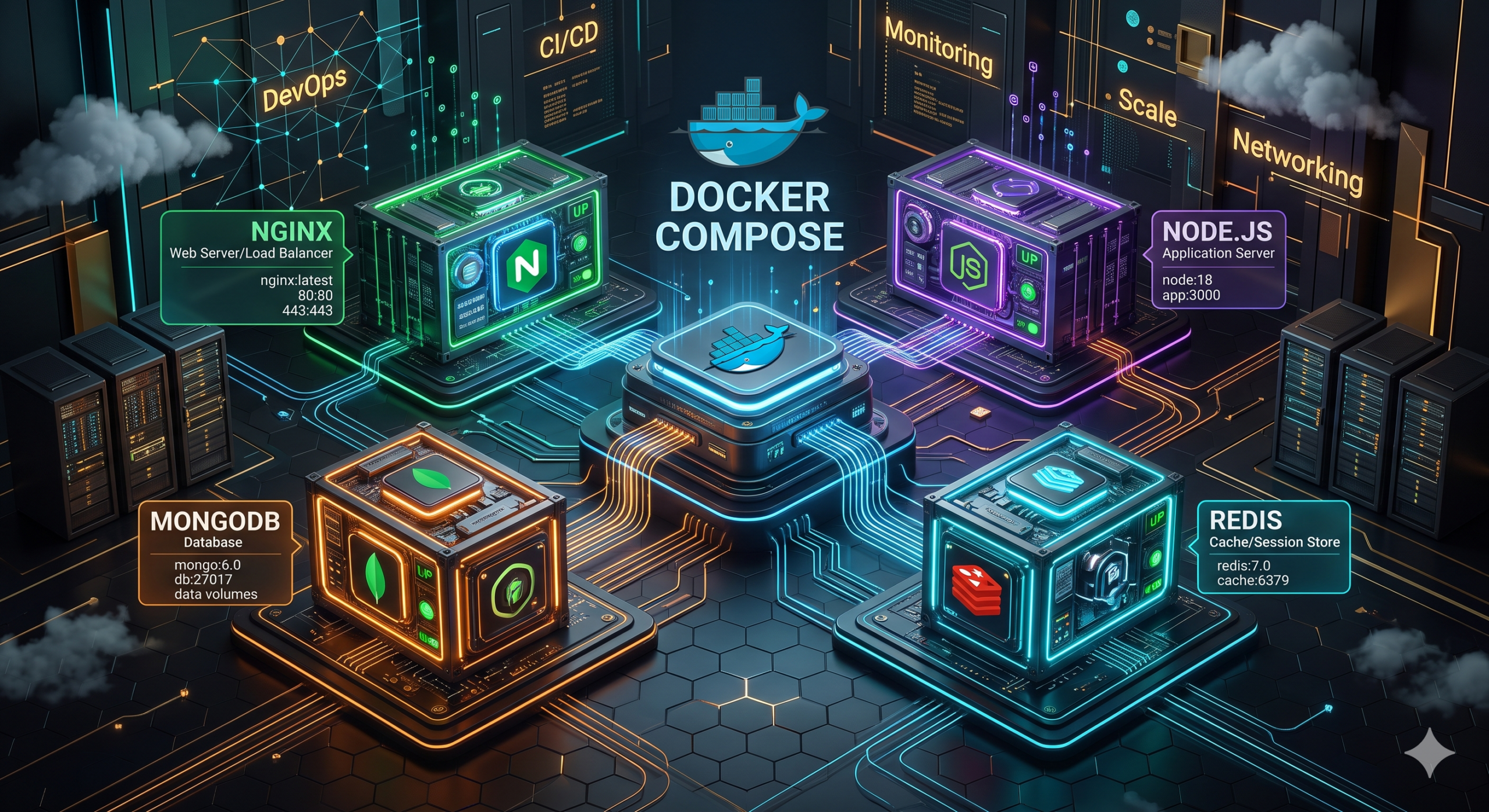
- Configure Docker Compose
Instead of manually managing containers, Ansible enables repeatable and consistent deployments.
Ansible with Kubernetes
Kubernetes manages container orchestration, while Ansible automates cluster configuration and application deployment.
Typical automation tasks include:
- Deploying applications
- Updating configurations
- Managing namespaces
- Creating secrets
- Configuring services
Many organizations use Ansible and Kubernetes together in production environments.
Ansible in CI/CD Pipelines
Continuous Integration and Continuous Deployment (CI/CD) automate software delivery.
Ansible plays an important role in deployment automation.
A typical CI/CD pipeline includes:
- Developer pushes code to GitHub.
- Jenkins detects changes.
- Application is built and tested.
- Ansible deploys the application.
- Monitoring tools verify deployment health.
This workflow reduces manual effort and minimizes deployment errors.
Common Mistakes Beginners Make
Ignoring Linux Fundamentals
Ansible primarily manages Linux servers. Strong Linux knowledge is essential.
Learning Playbooks Without Understanding Inventory
Inventory files are the foundation of Ansible automation.
Writing Large Playbooks
Break automation into smaller, reusable roles.
Hardcoding Passwords
Use Ansible Vault instead.
Skipping Practical Projects
Reading documentation alone is not enough. Build projects to gain confidence.
Frequently Asked Questions
Is Ansible free?
Yes. Ansible is an open-source automation tool.
Is Ansible difficult to learn?
No. Because it uses YAML, Ansible is considered one of the easiest automation tools for beginners.
Does Ansible require programming?
No advanced programming knowledge is required. Basic Linux and YAML understanding is sufficient to get started.
Is Ansible used in DevOps?
Yes. Ansible is one of the most popular DevOps automation tools and is widely used for configuration management, application deployment, and infrastructure automation.
Which is better: Ansible or Terraform?
They serve different purposes.
- Terraform provisions infrastructure.
- Ansible configures and manages infrastructure.
Many organizations use both tools together.
How long does it take to learn Ansible?
With consistent practice, most beginners can learn the fundamentals within a few weeks and become productive by building real-world automation projects.
Conclusion
Ansible has become one of the most important automation tools in modern DevOps. Its agentless architecture, simple YAML syntax, and extensive module library make it an excellent choice for beginners and experienced professionals alike.
Whether you want to automate server configuration, deploy applications, manage cloud infrastructure, or streamline CI/CD pipelines, Ansible provides a powerful yet easy-to-learn solution. By mastering inventory files, playbooks, roles, variables, templates, and security best practices, you can significantly improve operational efficiency and reduce manual work.
The key to becoming proficient with Ansible is hands-on practice. Start with small automation tasks, build real-world projects, integrate Ansible with AWS and Docker, and gradually explore advanced topics such as Kubernetes automation and Infrastructure as Code.
As organizations continue adopting DevOps and cloud-native technologies, Ansible skills remain highly valuable and can open doors to careers as a DevOps Engineer, Cloud Engineer, Site Reliability Engineer, or Infrastructure Automation Specialist.
Continue Your DevOps Journey
If you’re serious about building a career in Cloud Computing and DevOps, don’t stop with Ansible.
Explore our complete learning resources:
- DevOps Roadmap 2026
- AWS Roadmap 2026
- Docker Tutorial for Beginners
- Kubernetes Tutorial for Beginners
- Terraform Tutorial for Beginners
Build projects, practice consistently, and apply your knowledge in real-world environments to become industry-ready.
Ansible Career Opportunities in 2026
As organizations continue adopting cloud computing, Infrastructure as Code (IaC), and DevOps practices, the demand for professionals with Ansible expertise continues to grow. Companies are increasingly automating server provisioning, software deployment, security compliance, and infrastructure management to reduce manual effort and improve operational efficiency.
Ansible has become a standard automation tool in industries such as banking, healthcare, e-commerce, telecommunications, manufacturing, and software development. Whether an organization manages ten servers or thousands of cloud instances, automation has become essential, making Ansible a valuable skill for IT professionals.
Professionals with Ansible knowledge often work alongside cloud platforms such as AWS, Microsoft Azure, and Google Cloud Platform while integrating automation with Docker, Kubernetes, Jenkins, Terraform, and GitHub Actions.
If you are planning a career in Cloud Computing or DevOps, learning Ansible can significantly improve your technical profile and open opportunities across multiple roles.
Job Roles That Require Ansible Skills
DevOps Engineer
DevOps Engineers use Ansible to automate application deployments, configure infrastructure, manage servers, and maintain CI/CD pipelines. Automation helps reduce deployment time while improving reliability and consistency across environments.
Cloud Engineer
Cloud Engineers use Ansible to automate cloud resource configuration, server provisioning, operating system updates, and security policies. It simplifies managing cloud infrastructure at scale and reduces repetitive manual work.
Site Reliability Engineer (SRE)
Site Reliability Engineers focus on maintaining highly available and reliable production environments. Ansible helps automate infrastructure changes, routine maintenance, and recovery procedures, reducing downtime and operational risk.
Linux System Administrator
Linux administrators use Ansible to automate user management, package installation, security patching, service configuration, and system updates across multiple Linux servers simultaneously.
Infrastructure Automation Engineer
Many organizations now have dedicated automation teams responsible for improving infrastructure efficiency. These professionals design reusable Ansible playbooks, roles, and automation workflows that reduce operational overhead.
Integrating Ansible with Modern DevOps Tools
One of Ansible’s biggest strengths is its ability to integrate with the modern DevOps ecosystem.
Git and GitHub
Ansible playbooks are typically stored in Git repositories. This allows teams to track changes, collaborate effectively, review automation scripts, and maintain version history.
Jenkins
Jenkins can trigger Ansible playbooks automatically after successful application builds. This creates fully automated deployment pipelines where applications move from development to production with minimal manual intervention.
Terraform
Terraform and Ansible complement each other perfectly.
Terraform provisions cloud infrastructure such as virtual machines, networking, and storage resources, while Ansible configures those newly created servers by installing software, applying security settings, and deploying applications.
Together they provide a complete Infrastructure as Code solution.
Docker
Ansible can automate Docker installation, image management, container deployment, networking, and Docker Compose configurations. This reduces manual container administration and improves deployment consistency.
Kubernetes
Although Kubernetes handles container orchestration, Ansible simplifies cluster configuration, application deployment, secret management, and ongoing administrative tasks.
Because of these integrations, Ansible remains one of the most versatile automation tools available to DevOps teams.
Tips for Mastering Ansible Faster
Learning Ansible is relatively straightforward, but following a structured approach will help you become productive much faster.
- Start with Linux fundamentals before learning automation.
- Understand SSH because Ansible primarily communicates using secure shell connections.
- Practice YAML syntax until writing playbooks becomes natural.
- Build reusable playbooks instead of relying only on ad-hoc commands.
- Organize automation using roles and variables for better maintainability.
- Store your playbooks in GitHub to demonstrate your skills to recruiters.
- Automate real-world tasks such as installing web servers, configuring databases, creating users, and deploying applications.
- Combine Ansible with Docker, Jenkins, Terraform, and AWS projects to gain practical DevOps experience.
The best way to learn Ansible is through consistent hands-on practice. Every automation task you create improves your understanding of infrastructure management and prepares you for real production environments.